We may earn a commission when you purchase through links on this page. As an Amazon Associate I earn from qualifying purchases.
Research-based product guide. Manufacturer documentation checked November 2, 2026.
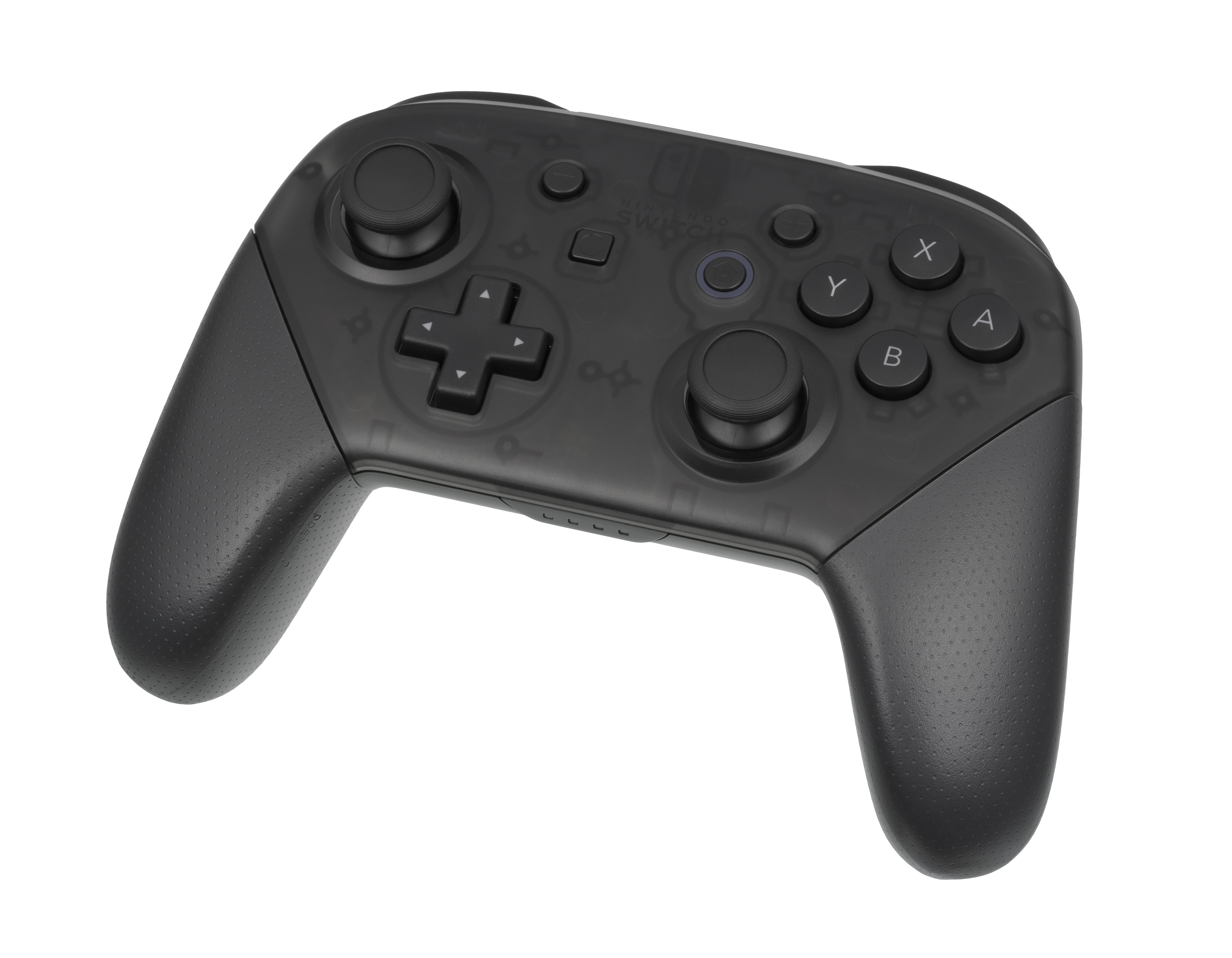
Consider the standard black Nintendo Switch Pro Controller when you want a separate, full-size gamepad for supported games on Nintendo Switch, Nintendo Switch – OLED Model or Nintendo Switch Lite. Start with the games you intend to play: a controller purchase is useful only when their control requirements suit it.
The configuration to choose
This guide covers one standard black Nintendo Switch Pro Controller. Nintendo identifies the original Pro Controller hardware as HAC-013. Match the complete product name and black finish when buying; a special-edition shell or a differently named controller deserves its own comparison. If a particular regional package matters to you, confirm it in the seller’s description.
Included equipment and charging
- Included: the controller and Nintendo’s HAC-010 USB charging cable.
- Needed separately: a supported console, a compatible game and a suitable way to charge the controller.
- For wired use with Switch Lite: Nintendo specifies a licensed accessory, such as the HORI Dual USB PlayStand.
Nintendo’s charging instructions describe connecting the supplied cable to a powered Switch dock, or connecting a Nintendo Switch AC adapter, model HAC-002, directly to the controller. The console and dock are separate equipment.
Setup and the main limitation
Switch and OLED owners can pair through their dock with the included cable. Wireless pairing is also documented for those systems and Switch Lite: open Controllers, choose Change Grip and Order, then hold the controller’s SYNC button. The console must be awake. Follow Nintendo’s instructions for your console.
Game support is the consequential limitation. Nintendo directs owners to the software manual or packaging when a game does not support this controller. Check before treating it as a replacement for the controls your game requests.
When another choice makes sense
If your current compatible controller already handles your games, keeping it avoids buying a duplicate. If you prefer separate Joy-Con controls, compare that arrangement with this single gamepad before changing your setup. For a PS5 purchase, start with the DualSense Midnight Black guide and its own compatibility requirements.
Common questions
Is a charging cable supplied?
Yes. Nintendo names the included cable as HAC-010.
Will it work with every Switch game?
Check each game’s supported controllers; console pairing alone does not establish software compatibility.
Evidence and editorial approach
This guide uses Nintendo documentation and licensed product photography. It contains no AG101 hands-on testing or measured battery-life claims. Explore more gaming gear and accessories.
Edition facts
- Edition
- Standard black
- Platform
- Nintendo Switch, Nintendo Switch – OLED Model, Nintendo Switch Lite
- Format
- Physical controller
What you need
- A supported Nintendo Switch-family console and a game that supports the Pro Controller.
- A suitable charging connection; wired Switch Lite use requires a licensed accessory.
Sources and verification
- Nintendo: pairing the Switch Pro Controller — checked 2026-11-02
- Nintendo: charging the Switch Pro Controller — checked 2026-11-02
- Nintendo: identifying and pairing the Switch Pro Controller — checked 2026-11-02
- Nintendo: game compatibility and controller troubleshooting — checked 2026-11-02